Configure custom pricing plans for your platform users through the Administration Panel.
Accessing Plan Settings
- Open your Administration Panel
- Navigate to “Plans” section
Creating Plans
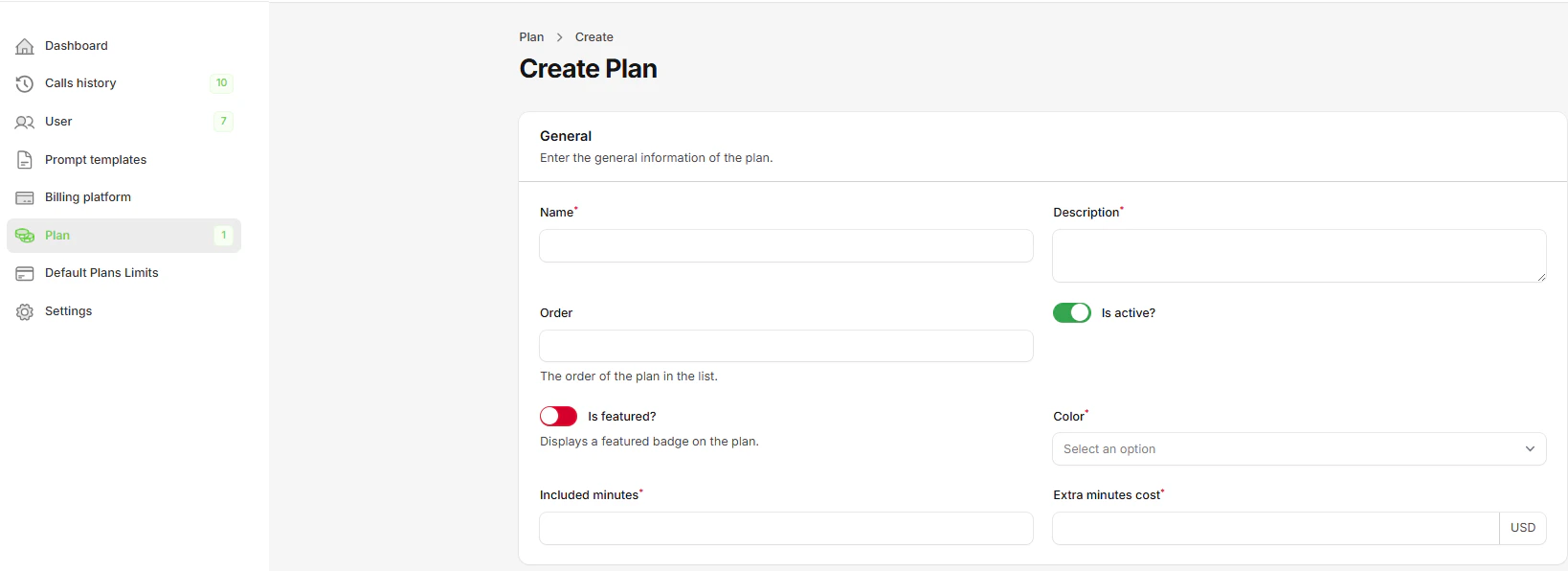
Create comprehensive pricing plans with detailed configuration options, limits, and pricing structures.
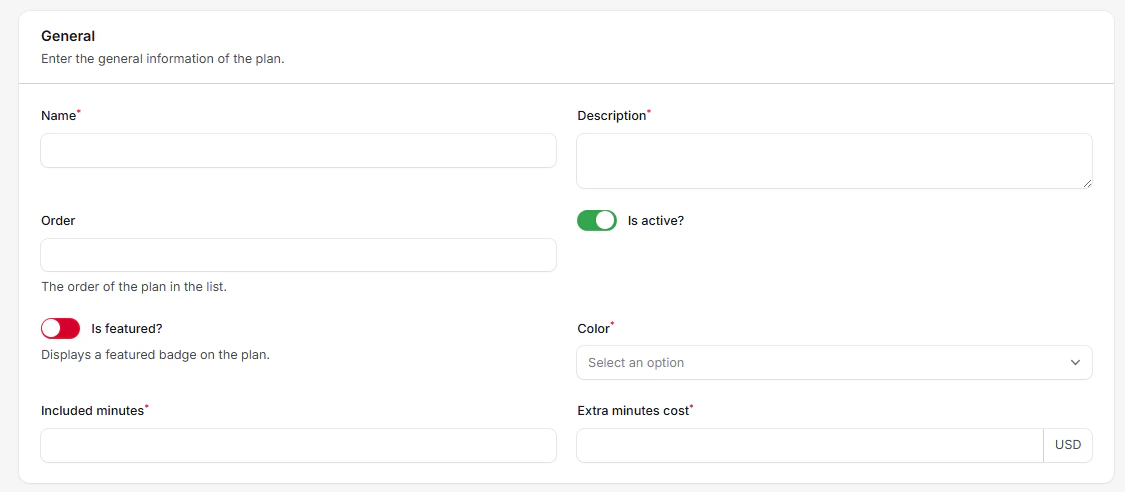
Basic Plan Settings:
- Name: Plan display name shown to customers
- Description: Detailed plan description and benefits (required)
- Order: Display order in pricing page (numeric value)
- Is Active: Enable/disable plan availability
- Is Featured: Display featured badge on plan
- Color: Plan theme color (Info, Success, Purple, Danger)
Pricing Configuration:
- Included Minutes: Base minutes included in plan (cannot be changed after creation)
- Extra Minutes Cost: Price per additional minute (minimum: your platform cost)
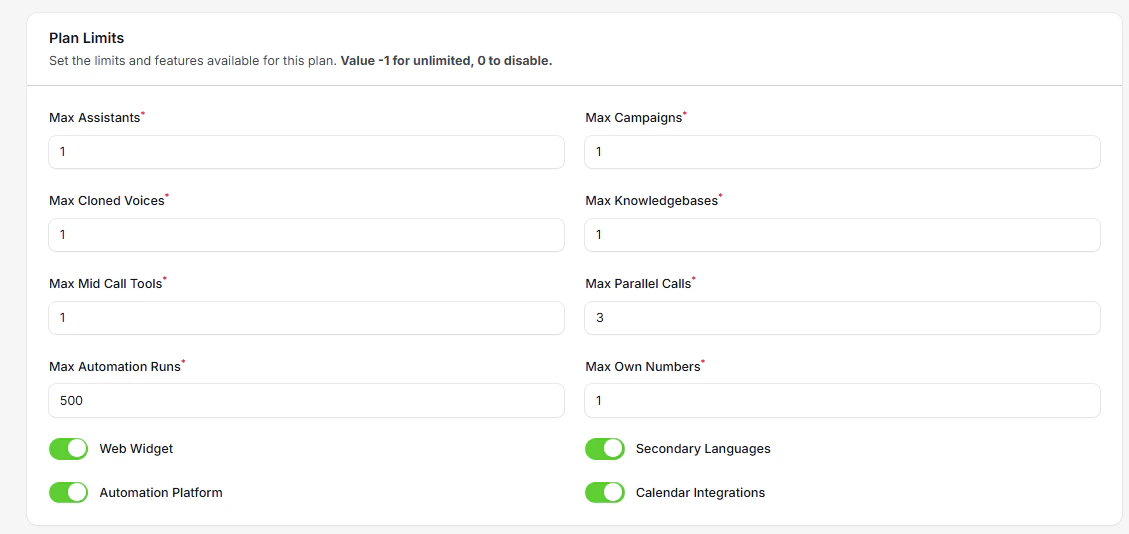
Plan Limits Section
Count-Based Limits (Value -1 for unlimited, 0 to disable):
- Max Assistants: Number of AI assistants (default: 1)
- Max Campaigns: Outbound calling campaigns (default: 1)
- Max Cloned Voices: Voice cloning limit (default: 1, max: 200)
- Max Knowledgebases: Knowledge base documents (default: 1)
- Max Mid Call Tools: Custom API integrations (default: 1)
- Max Parallel Calls: Simultaneous calls (default: 3)
- Max Automation Runs: Monthly automation executions (default: 500)
- Max Own Numbers: Phone numbers owned (default: 1)
Feature Toggles:
- Web Widget: Embeddable web calling widget (default: enabled)
- Secondary Languages: Multi-language support for assistants (default: enabled)
- Automation Platform: Access to workflow automation tools (default: enabled)
- Calendar Integrations: Cal.com and GoHighLevel scheduling (default: enabled)
- Custom Dashboards: Build personalized analytics dashboards with widgets (default: enabled)
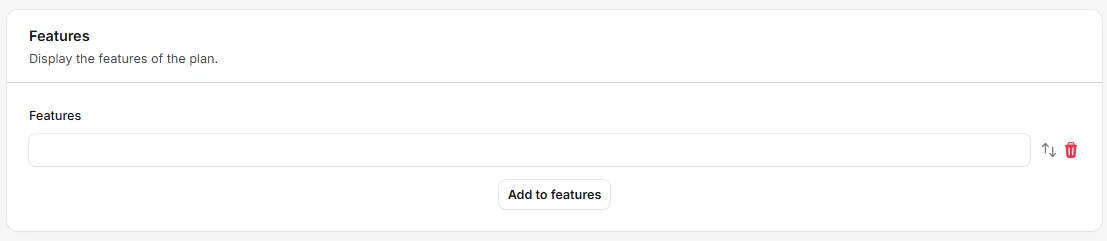
Features Display Section
Plan Features List:
- Add up to 15 custom features per plan
- Each feature limited to 80 characters
- Features appear as bullet points on pricing page
- Use descriptive benefits and capabilities
Common Feature Examples:
- “120 included minutes, then $0.20 / extra minute”
- “1 assistant”
- “1 outbound campaign”
- “3 calls in parallel”
- “1 cloned voice”
- “24/7 Customer Support”
Adding Prices to Plans
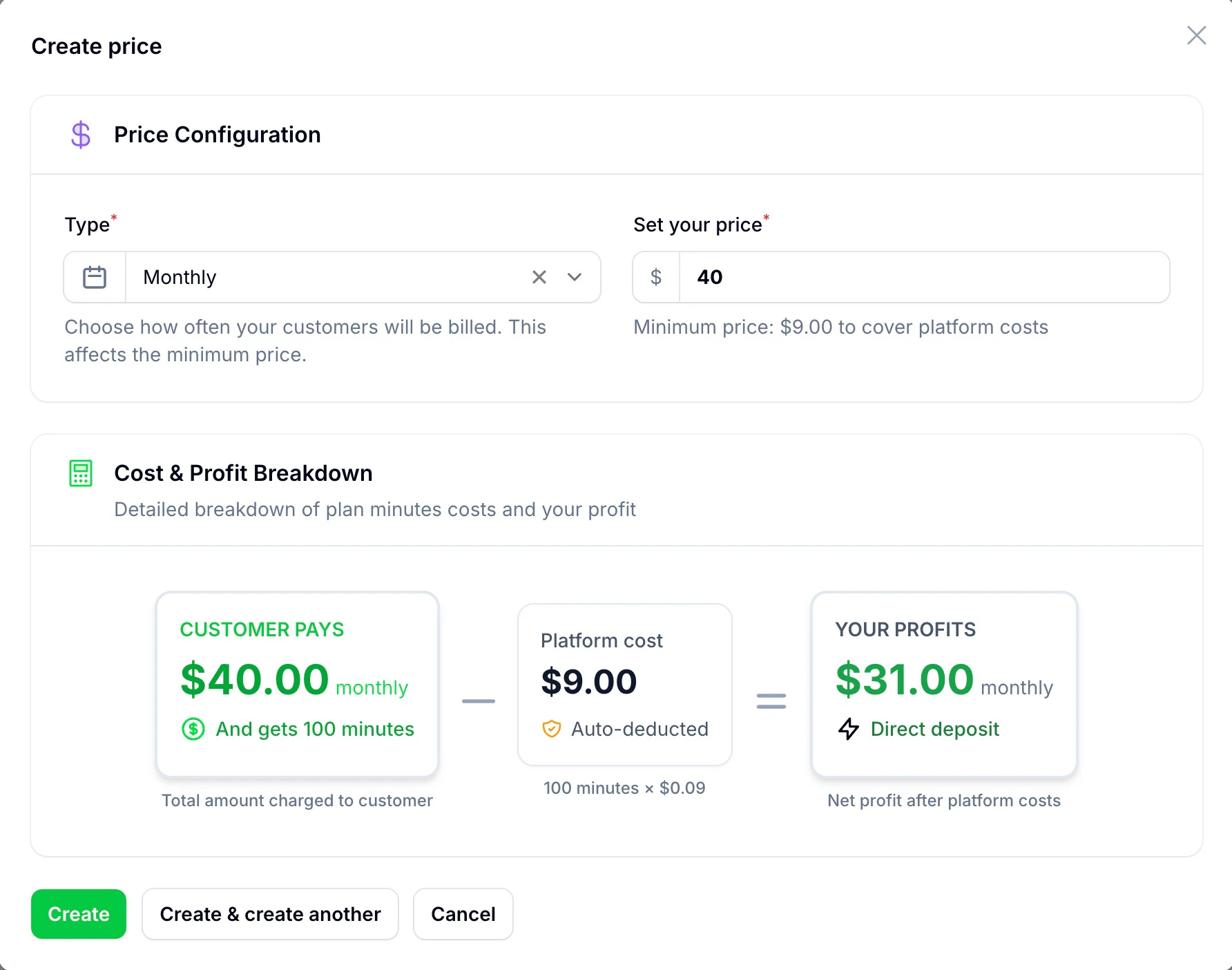
After creating a plan, scroll down to the Prices table:
Price Configuration Interface:
- Billing Type: Monthly or Yearly (can have both options)
- Set Your Price: Customer price with automatic cost validation
- Cost & Profit Breakdown: Real-time calculation showing platform costs and your profit
Default Plan Limits
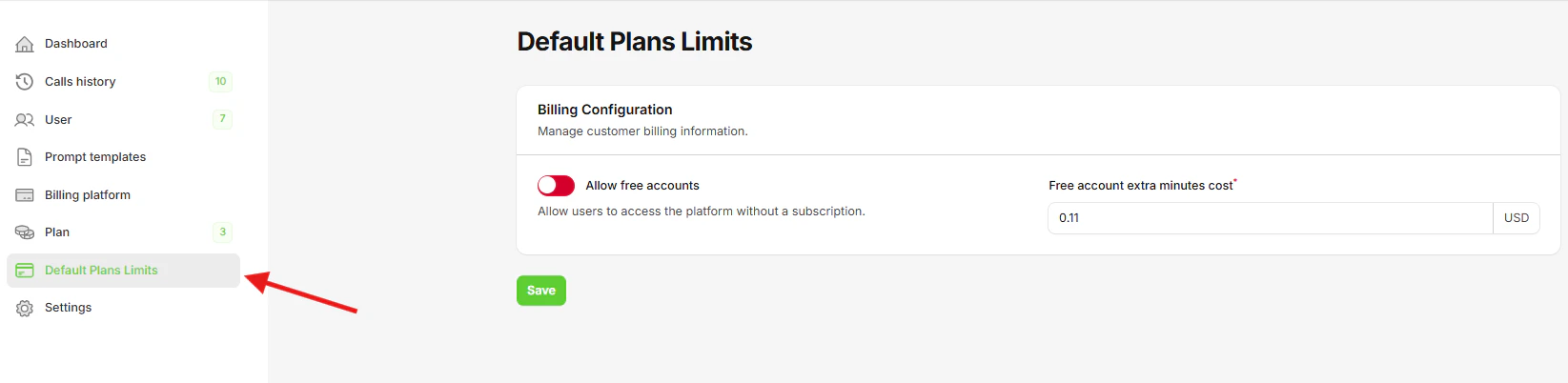
Navigate to Default plan limits in the sidebar to configure global settings:
Billing Configuration
Free Account Settings:
- Allow Free Accounts: Enable users to register without payment
- Free Account Extra Minutes Cost: Price per additional minute for free users
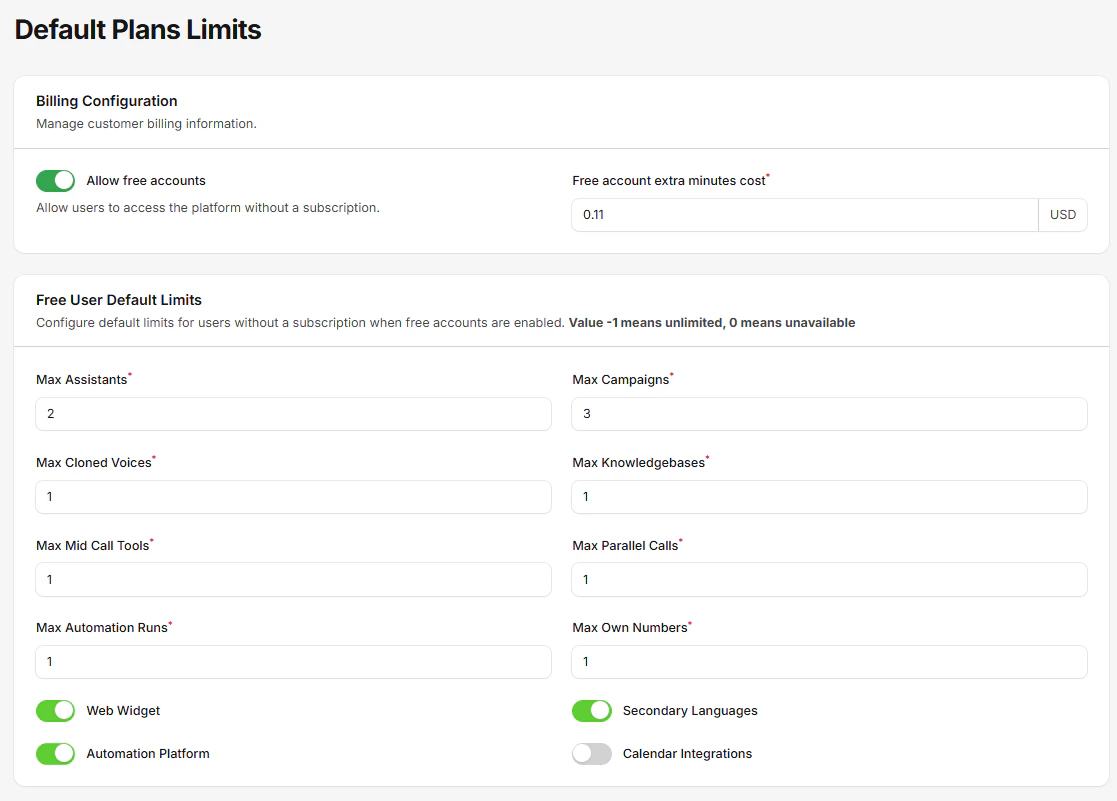
Default Limits
Configure baseline limits applied to all new plans:
- Max Assistants, Campaigns, Cloned Voices
- Max Parallel Calls, Knowledge Bases, Own Numbers
- Max Mid Call Tools, Automation Runs
- Feature toggles: Web Widget, Secondary Languages, Automation Platform, Calendar Integrations, Custom Dashboards
Plan Structure
- Start with 2-3 clear tiers
- Offer monthly and annual options
- Include reasonable usage limits
- Provide clear upgrade paths
Pricing Strategy
- Research market rates
- Consider your costs
- Plan for scalability
- Include profit margins
Feature Distribution
- Clearly differentiate tiers
- Reserve premium features
- Balance value proposition
- Consider upsell opportunities
Testing Plans
Before launching:
- Create test accounts
- Try different plan combinations
- Test upgrade/downgrade flows
- Verify billing accuracy
Start with competitive pricing and adjust based on market response and usage patterns.